Words with a visual life.
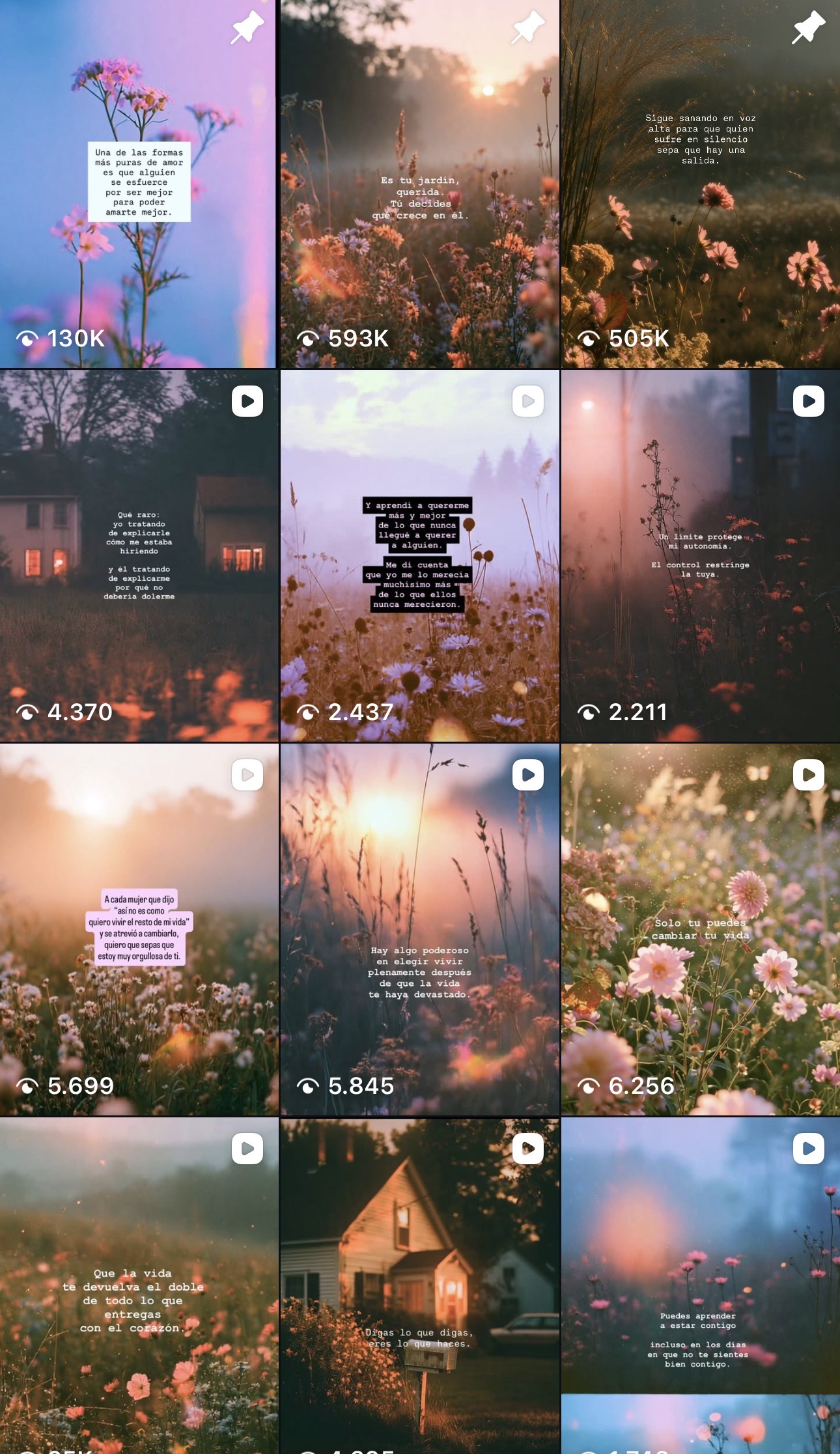
I bring the words and images together here. I hope you’ll find something that makes you pause, or recognise a little of your own experience.
Find me on InstagramSelected work
Some of my work starts with something I want to say. Some starts with getting to know someone else’s work and helping them share it.
Here you’ll find my writing, visual stories and illustrations, alongside websites I’ve designed and built. They bring together different parts of what I enjoy doing.
These projects show how I work with the words, design and development together. These include websites for an academic, a restaurant and a language teacher, alongside a demonstration for a fictional language school.
When I worked on Martha’s website, I wanted the pages to help people see how her research, teaching, publications and career connect.
Visit Martha’s website (in Spanish)I began by understanding those connections. From there, I worked out what each page needed to explain and how readers could move between related projects and publications. I worked on the structure, writing, design and development.
The research pages connect questions and projects to related publications. The publications catalogue lets readers search and filter references, follow links to available texts and copy a citation. Her professional history has its own place, so readers can follow how the work developed over time.
See how we could work on your website1 / 4
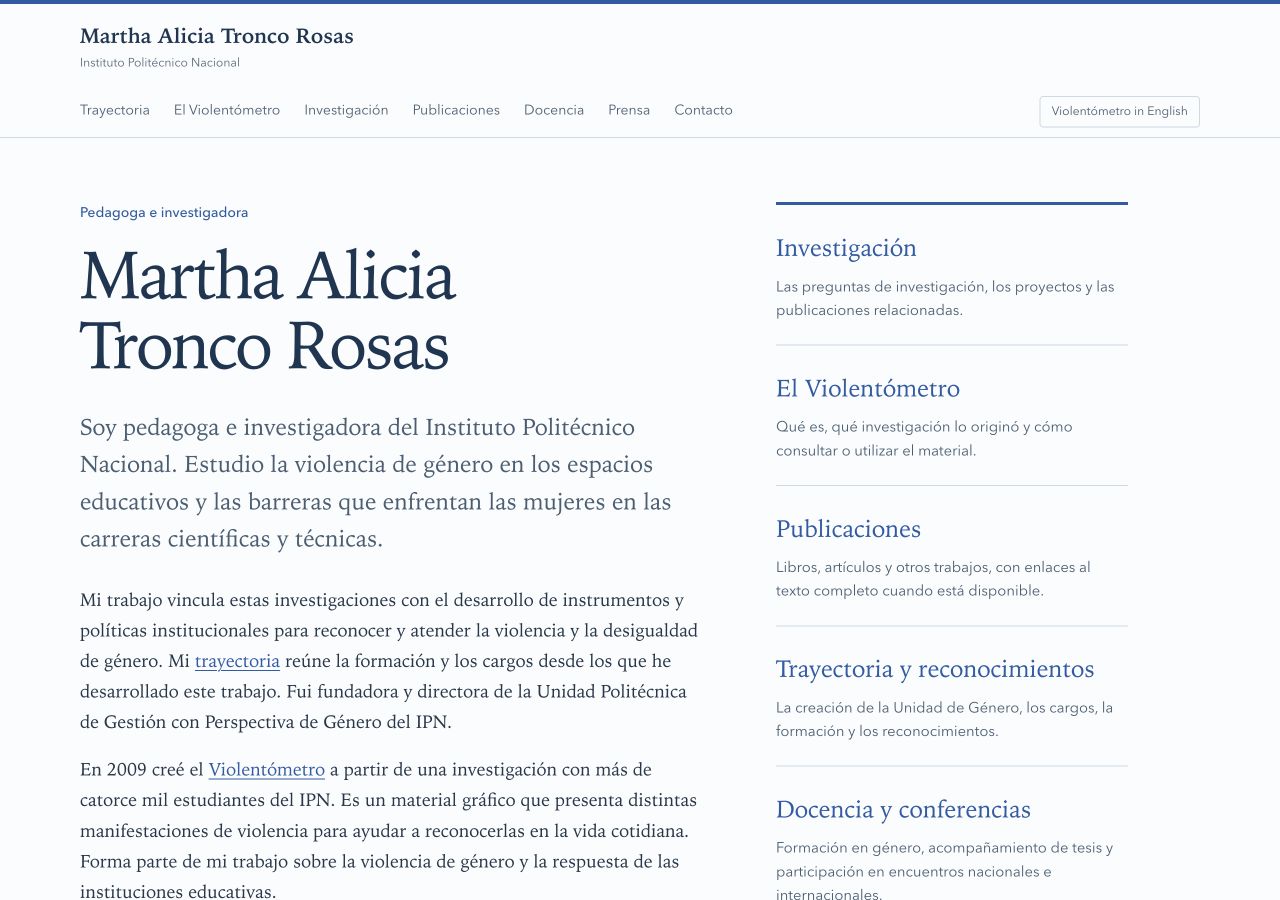
The homepage introduces Martha’s work and gives readers routes into her research, publications, professional history and teaching.
Screenshot in Spanish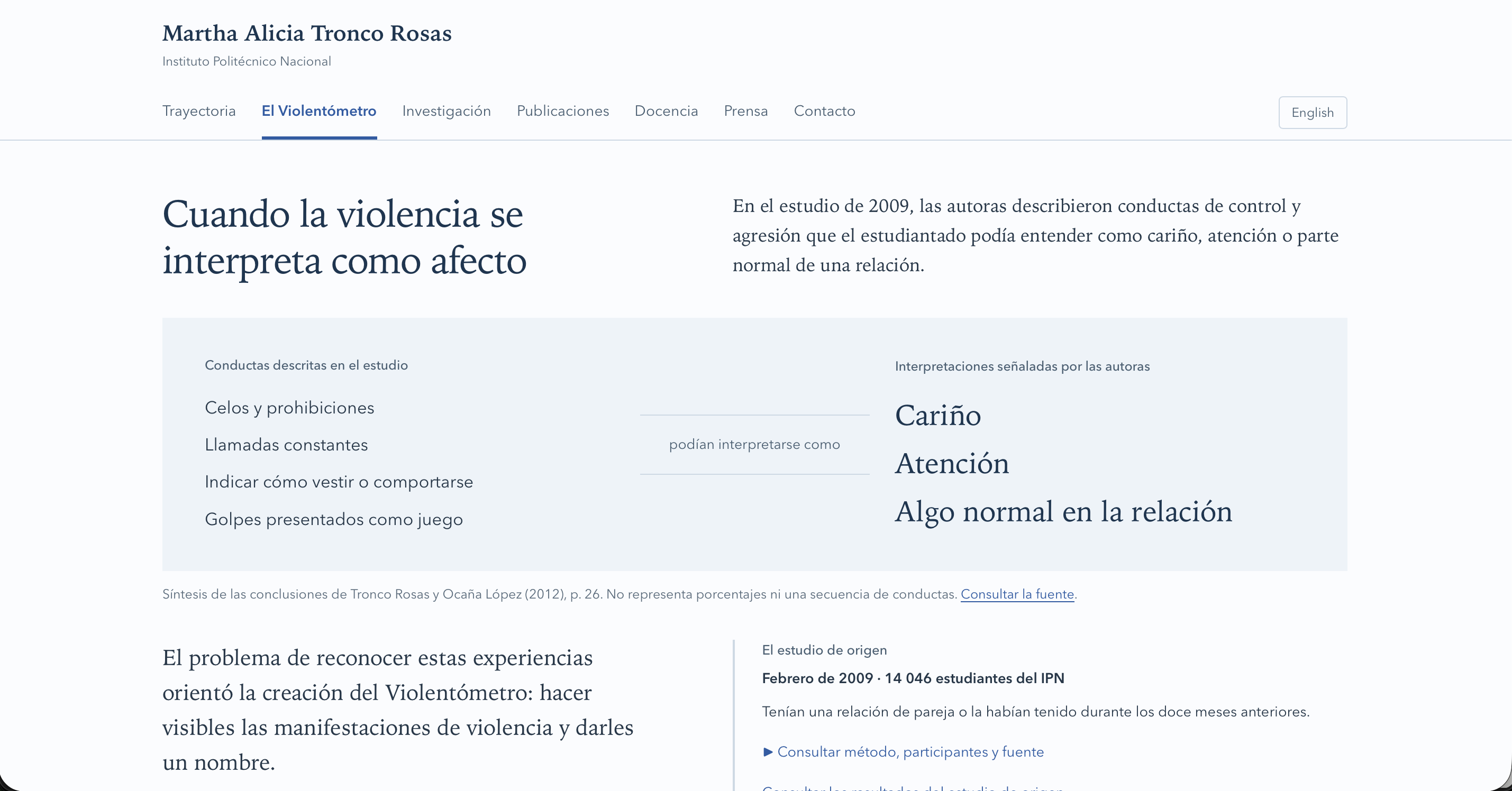
I arranged this summary in two columns: behaviours described in the study and how they could be interpreted. The wording between them explains the connection. I kept the source and a note below the diagram to clarify that it shows neither percentages nor a sequence of behaviours.
Screenshot in Spanish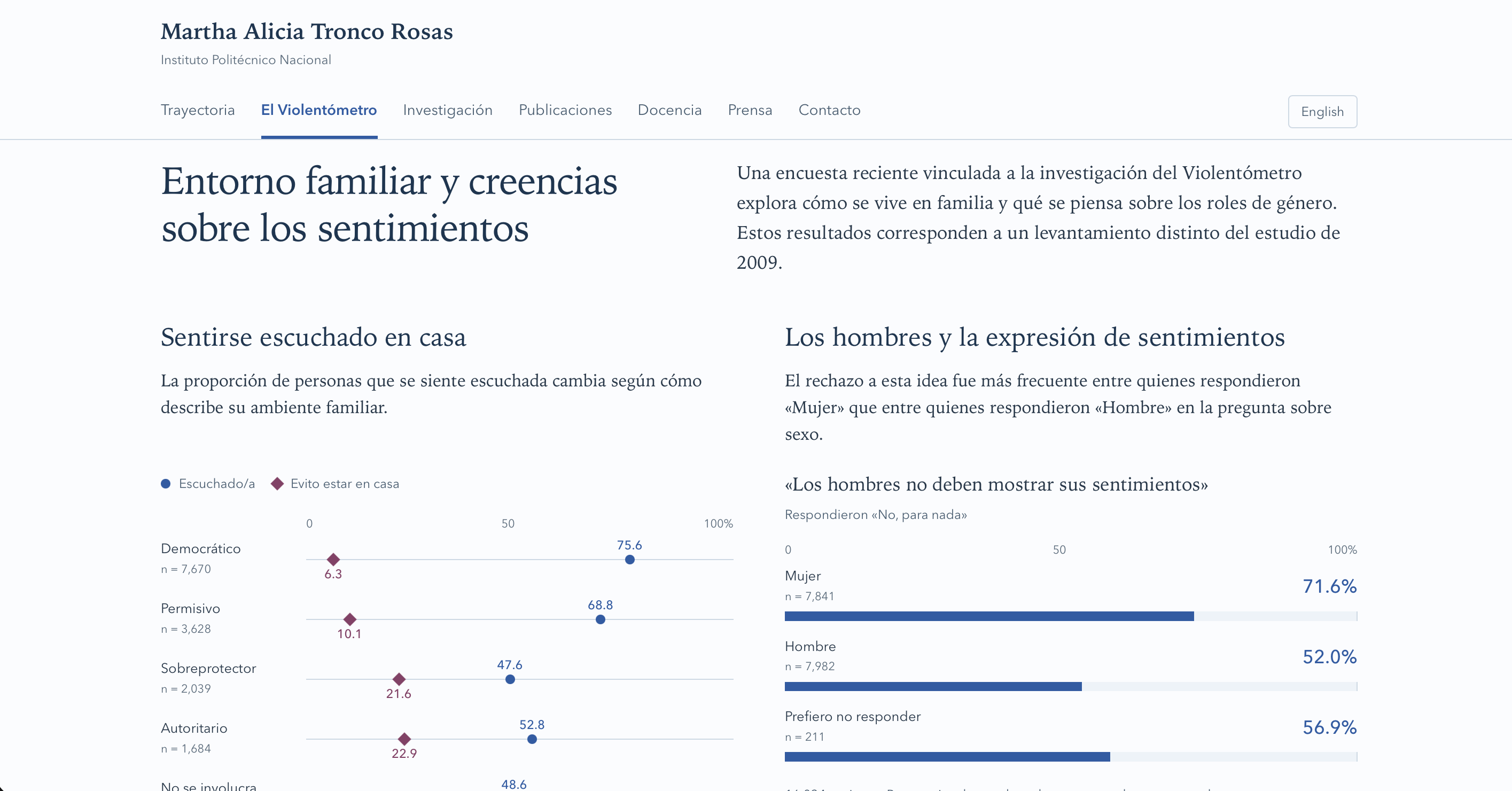
I paired each chart with a short explanation of what it compares, and placed percentages and group sizes beside the results. The introduction makes clear that these findings come from a different survey from the 2009 study discussed earlier on the page.
Screenshot in Spanish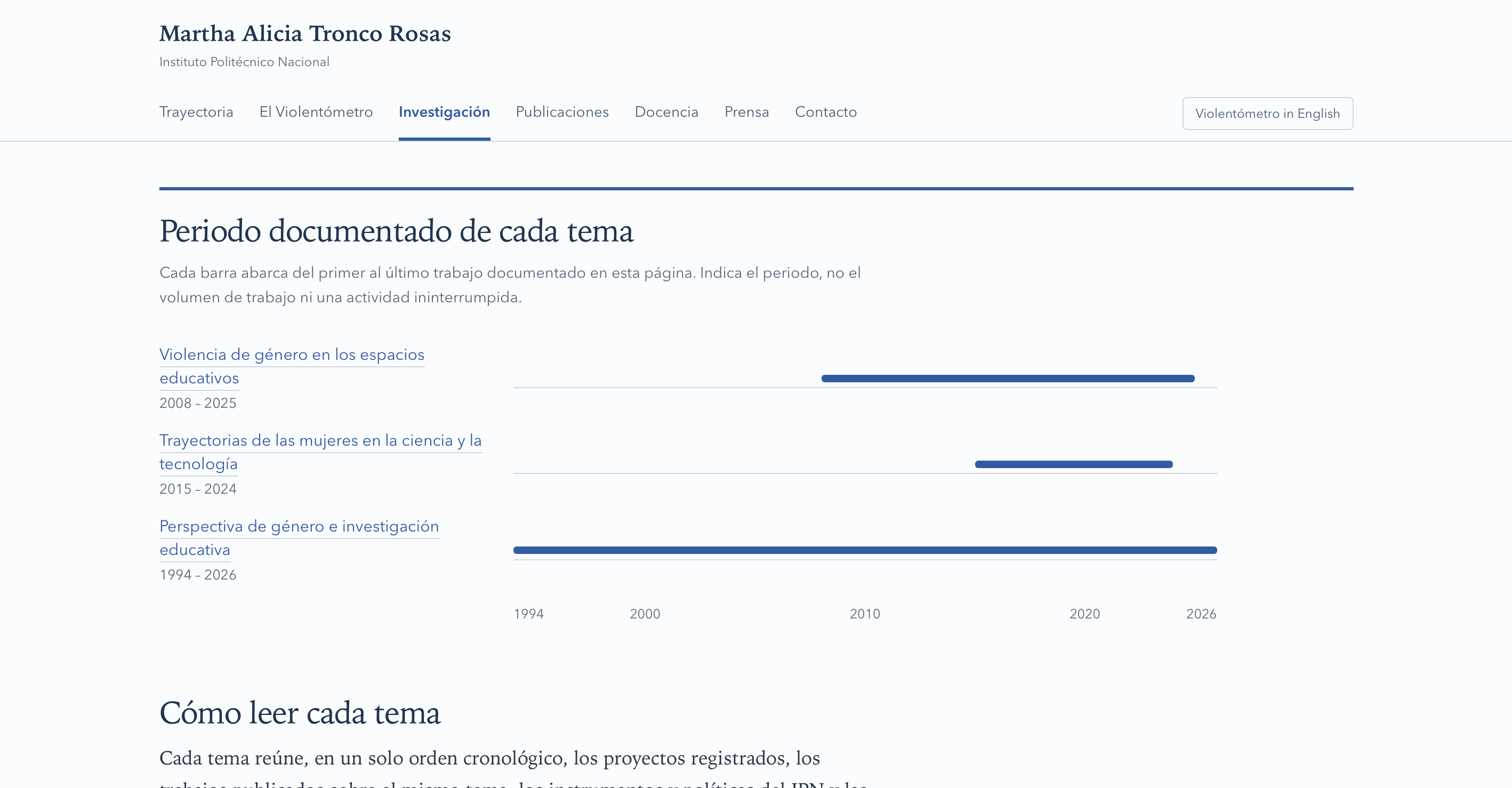
I organised the research by topic and added a timeline so readers can see the years covered by the documented work. Each topic links to its details. The note explains what the bars mean: the first and last documented work, rather than the amount of work or uninterrupted activity.
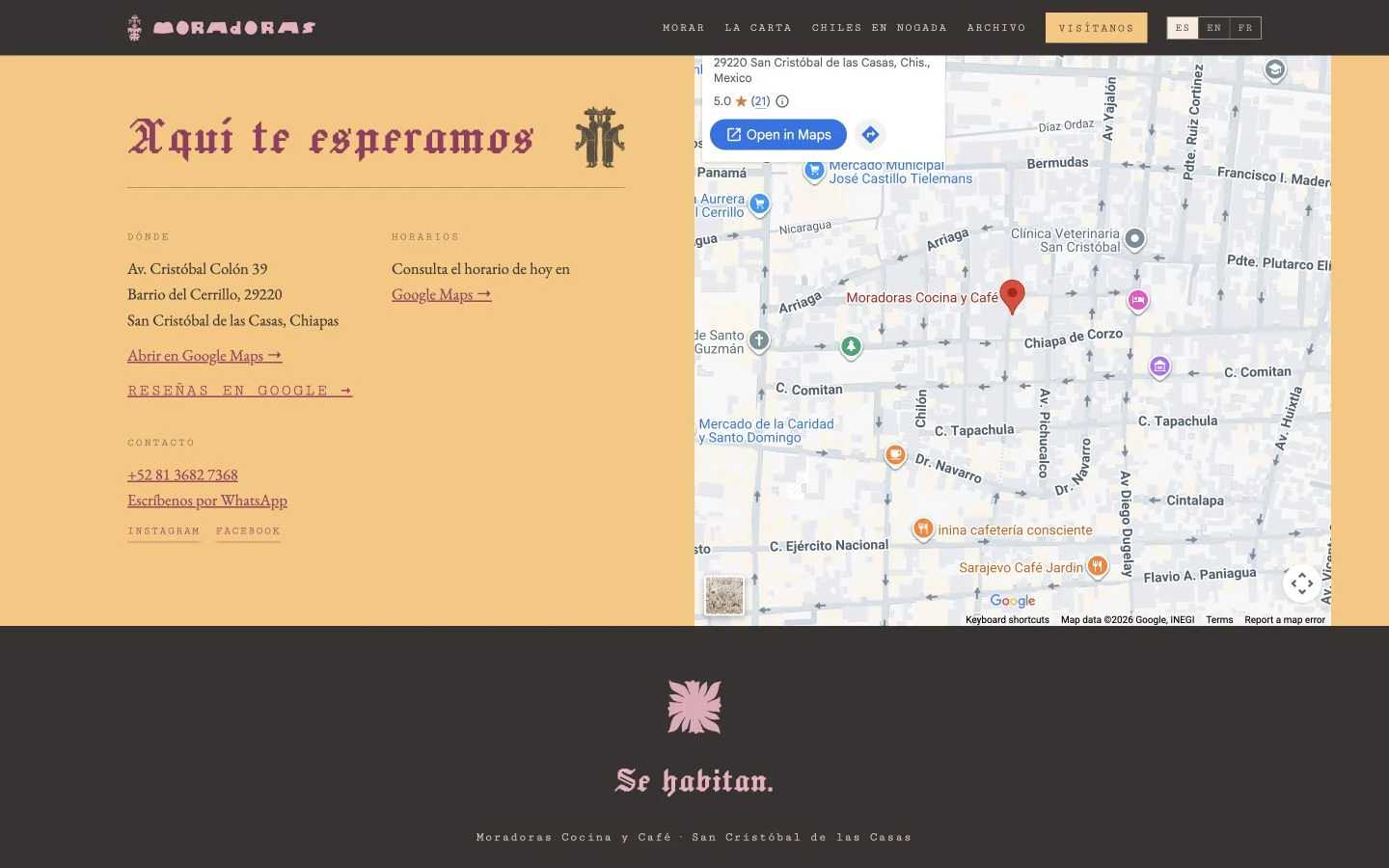
Screenshot in SpanishMoradoras serves food from Puebla in San Cristóbal de las Casas.
I brought the menu, the story of the kitchen and practical visiting information together in a website in Spanish, English and French.
Visual identity by Cultivo Estudio.
Visit Moradoras’ website1 / 4
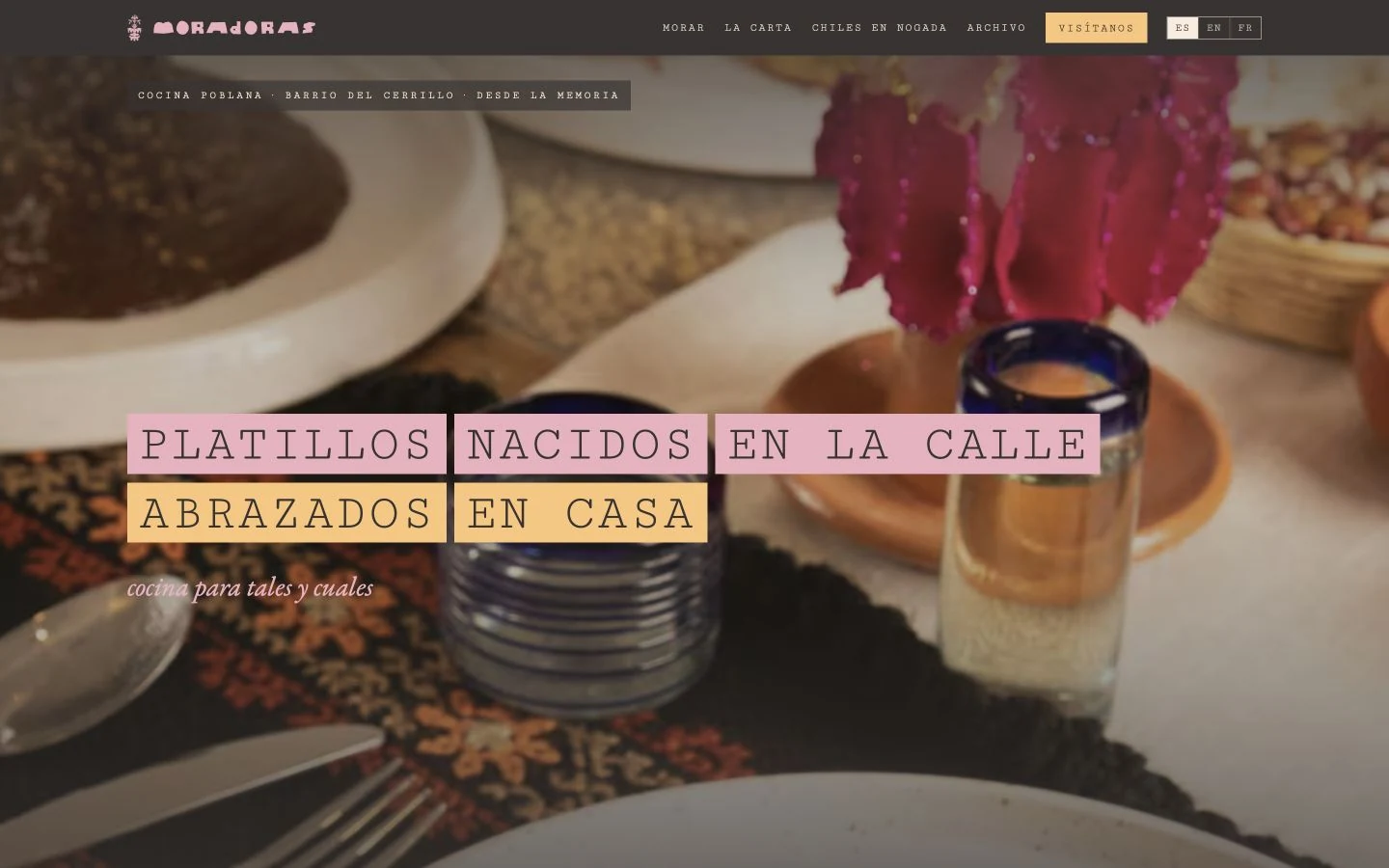
Working from Cultivo Estudio’s visual identity, I built the opening around Moradoras’ food photography. Visitors can get a feel for the place, with menu and directions links close at hand to plan a visit.
Screenshot in Spanish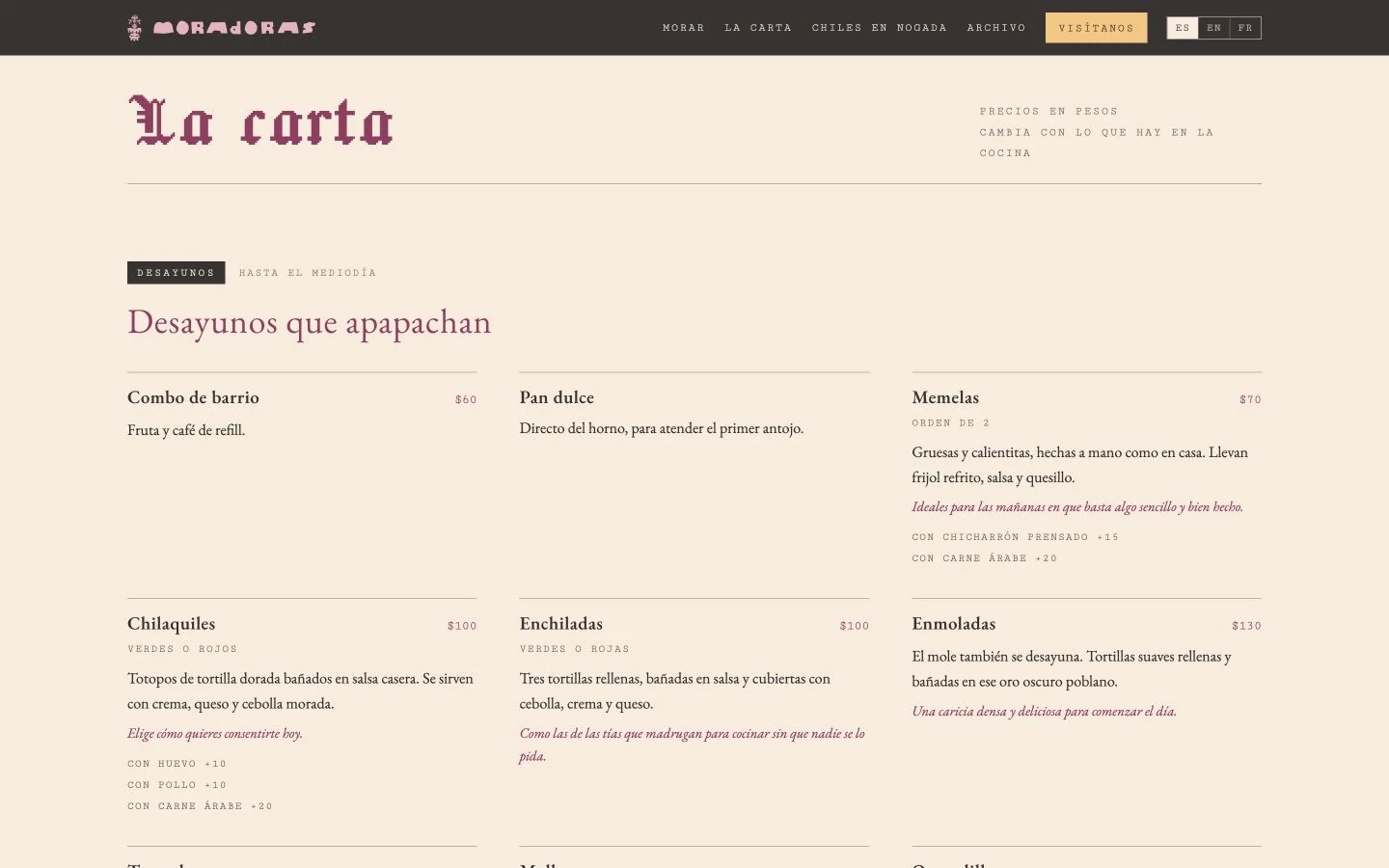
I built the menu into the page, grouping dishes by meal and type, with descriptions beside the prices. Visitors can see what’s served without downloading a separate menu.
Screenshot in Spanish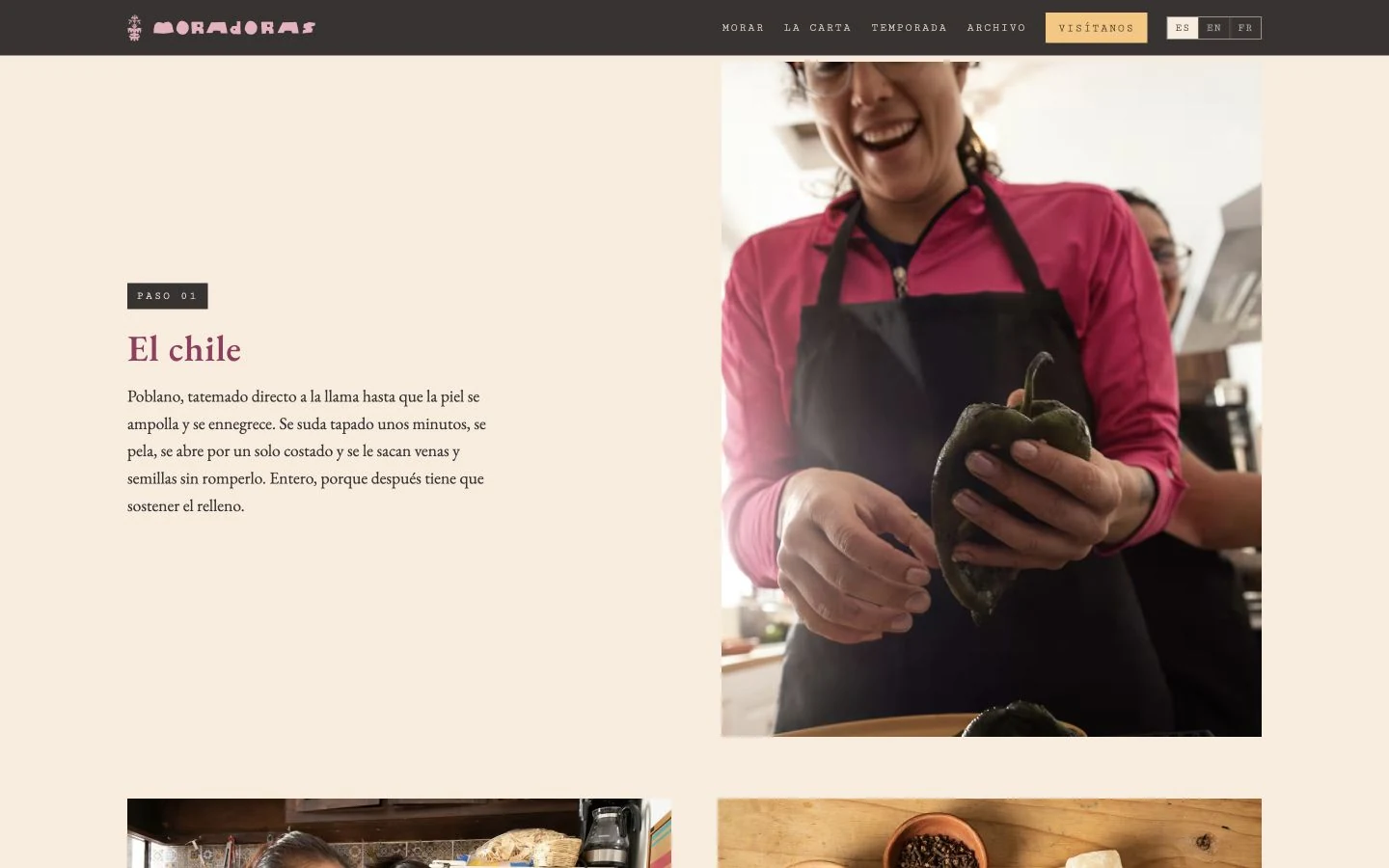
I built a separate page with ingredients, preparation photographs and the stages of making chile en nogada. It gives context for the dish while distinguishing Puebla’s traditions from Moradoras’ own preparation.
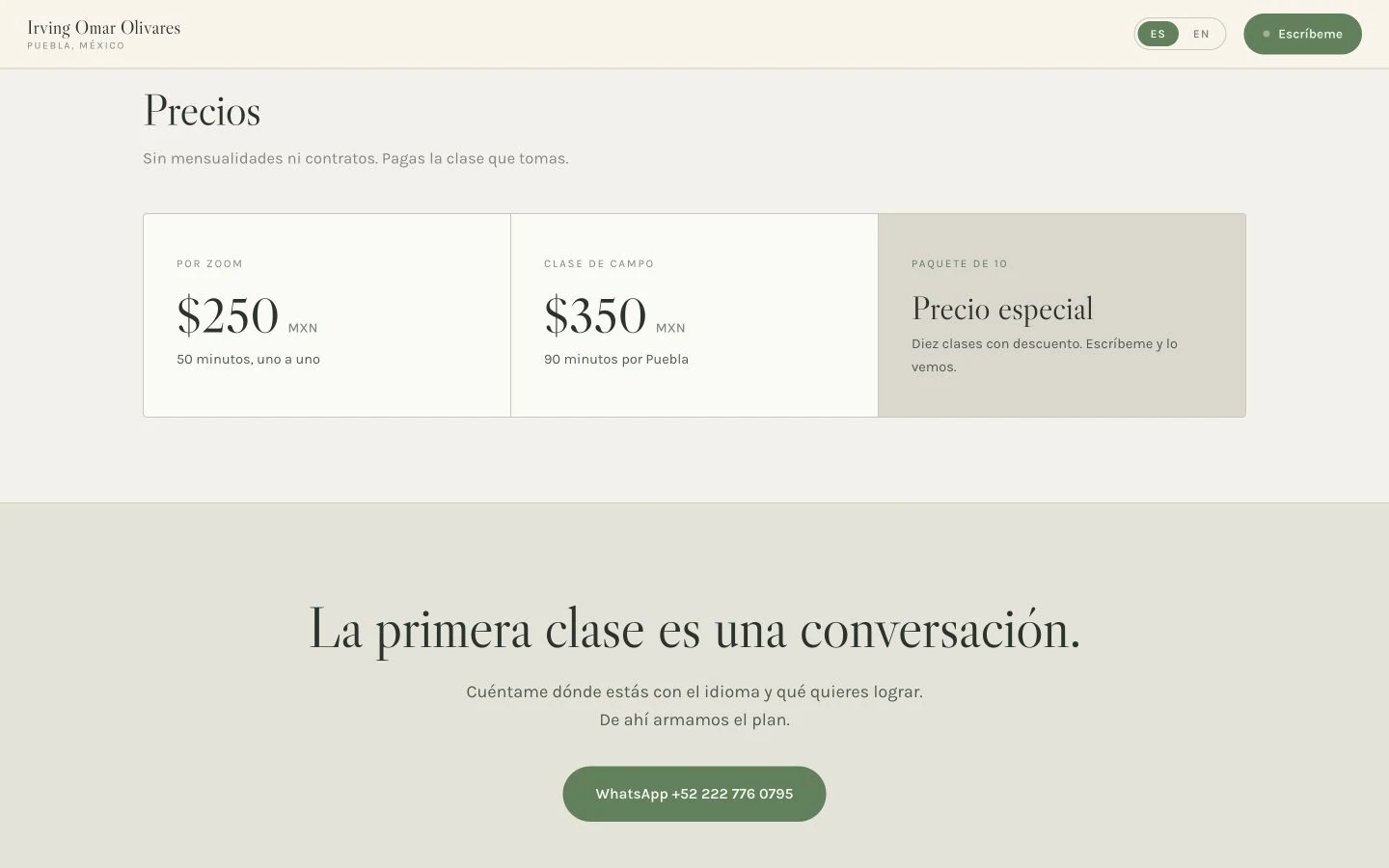
Screenshot in SpanishI built a bilingual website for Irving’s English and Spanish lessons in Puebla, bringing together his teaching, Zoom classes and walks through the city.
Visit Irving’s website1 / 3
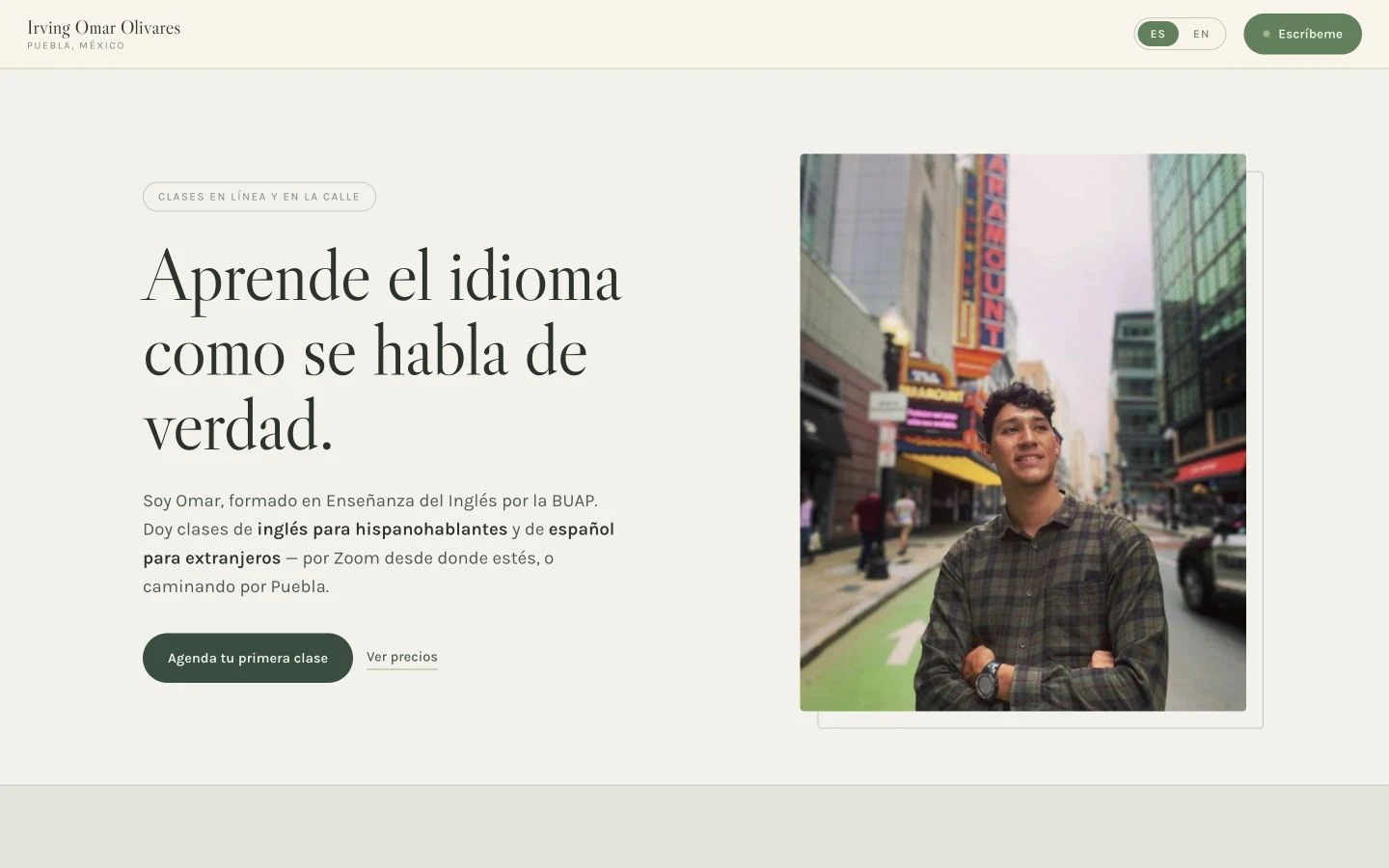
I built the opening screen with Irving’s portrait and a short introduction to his teaching. Visitors can see who the lessons are for, then check prices or contact him on WhatsApp.
Screenshot in Spanish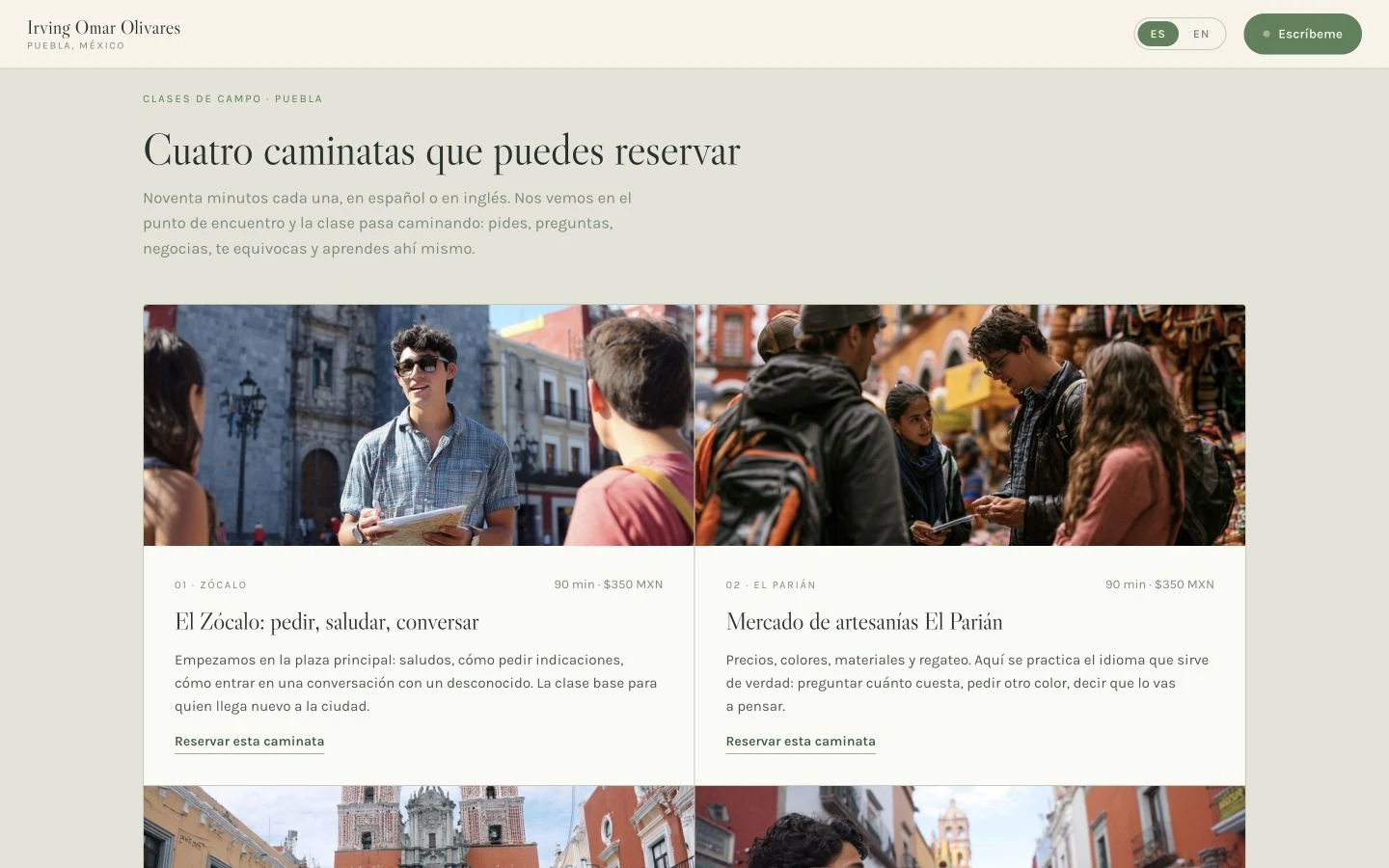
I built cards for four walks, each with a location, photograph, lesson details and a link to contact Irving. They show what practising a language in Puebla could involve.
Screenshot in SpanishIndependent demonstration · Fictional school
I created the concept, wrote the content, and designed and built this website for a fictional language school. I organised it around the choices a visitor needs to make: course, dates, duration and price.
Explore the school demonstrationThe course and number of weeks determine the base price. Accommodation and exam preparation vary with duration; materials are a one-off cost. The summary keeps those relationships visible as someone changes their choices.
I brought these choices into one booking process, with a summary that updates as someone changes their selections. You can explore the course pages, timetable and price calculator. This is an independent portfolio demonstration, not a commissioned school website; the business and its prices are fictional.
1 / 4
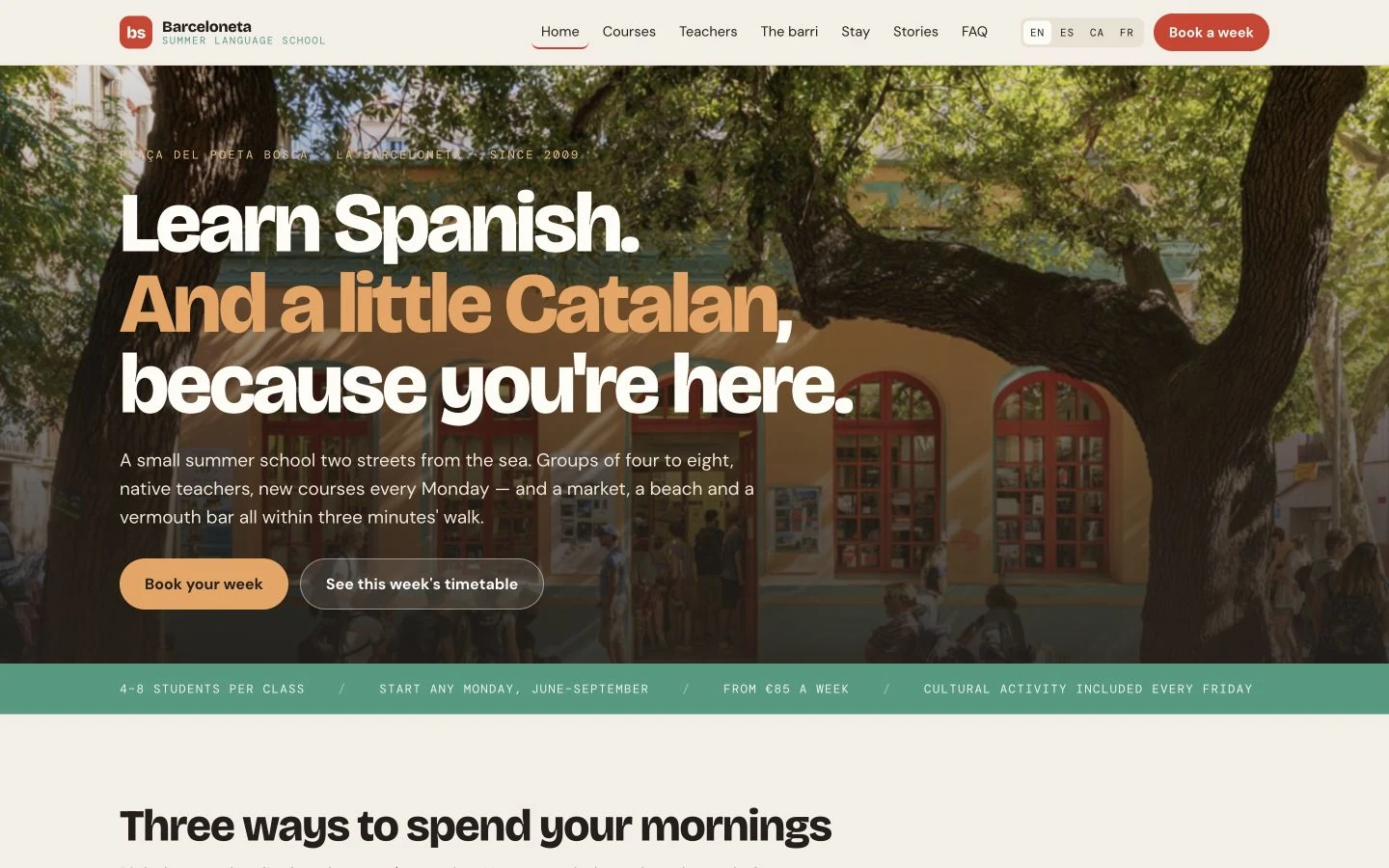
I wrote and designed the opening to introduce the fictional school, with two ways to explore the demonstration: choose a week or look at the timetable.
Screenshot in English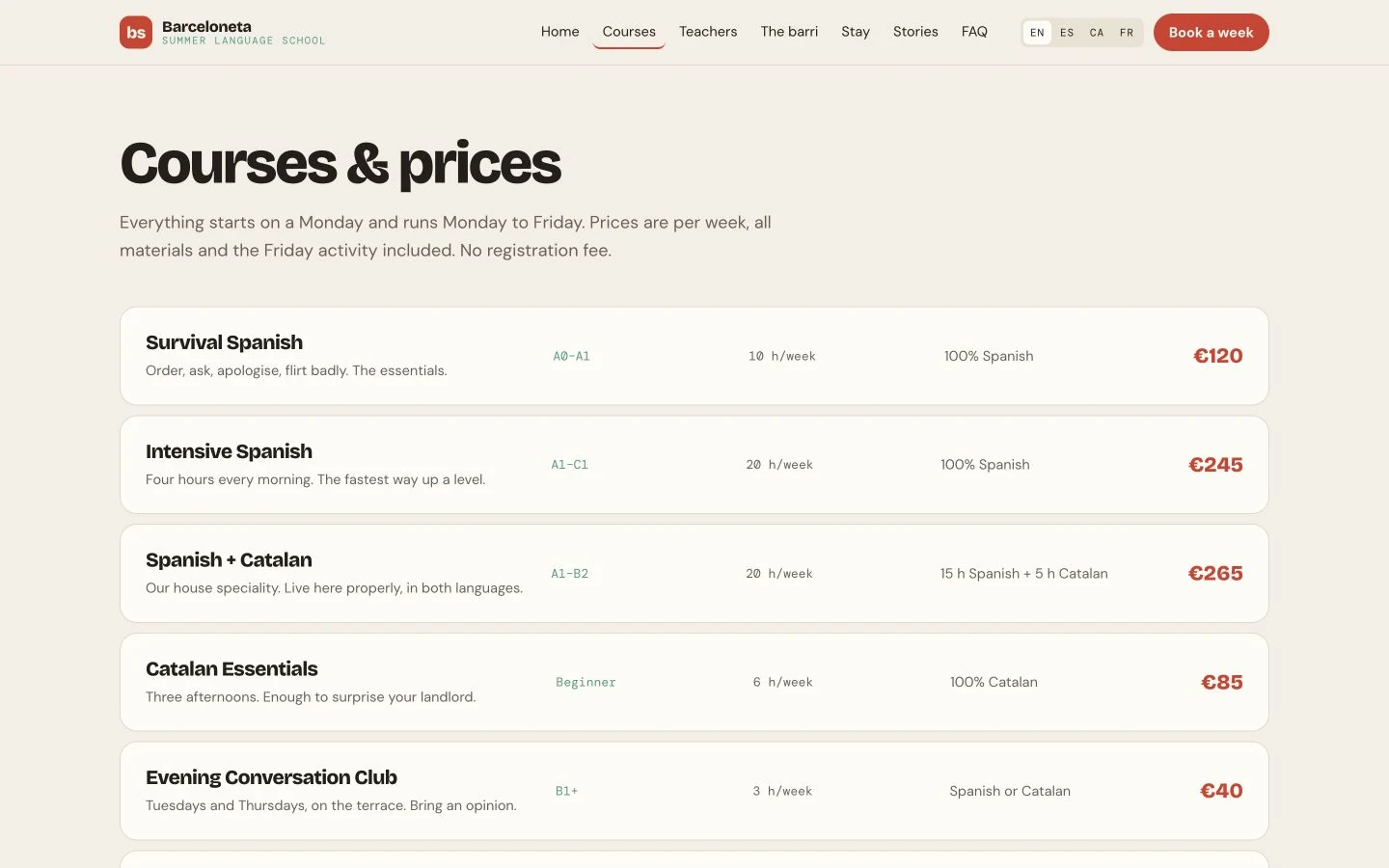
I organised the course descriptions around level, teaching hours, language mix and price, so visitors can compare the same details before moving to the example booking form.
Screenshot in EnglishChoose “Courses” in the demo.
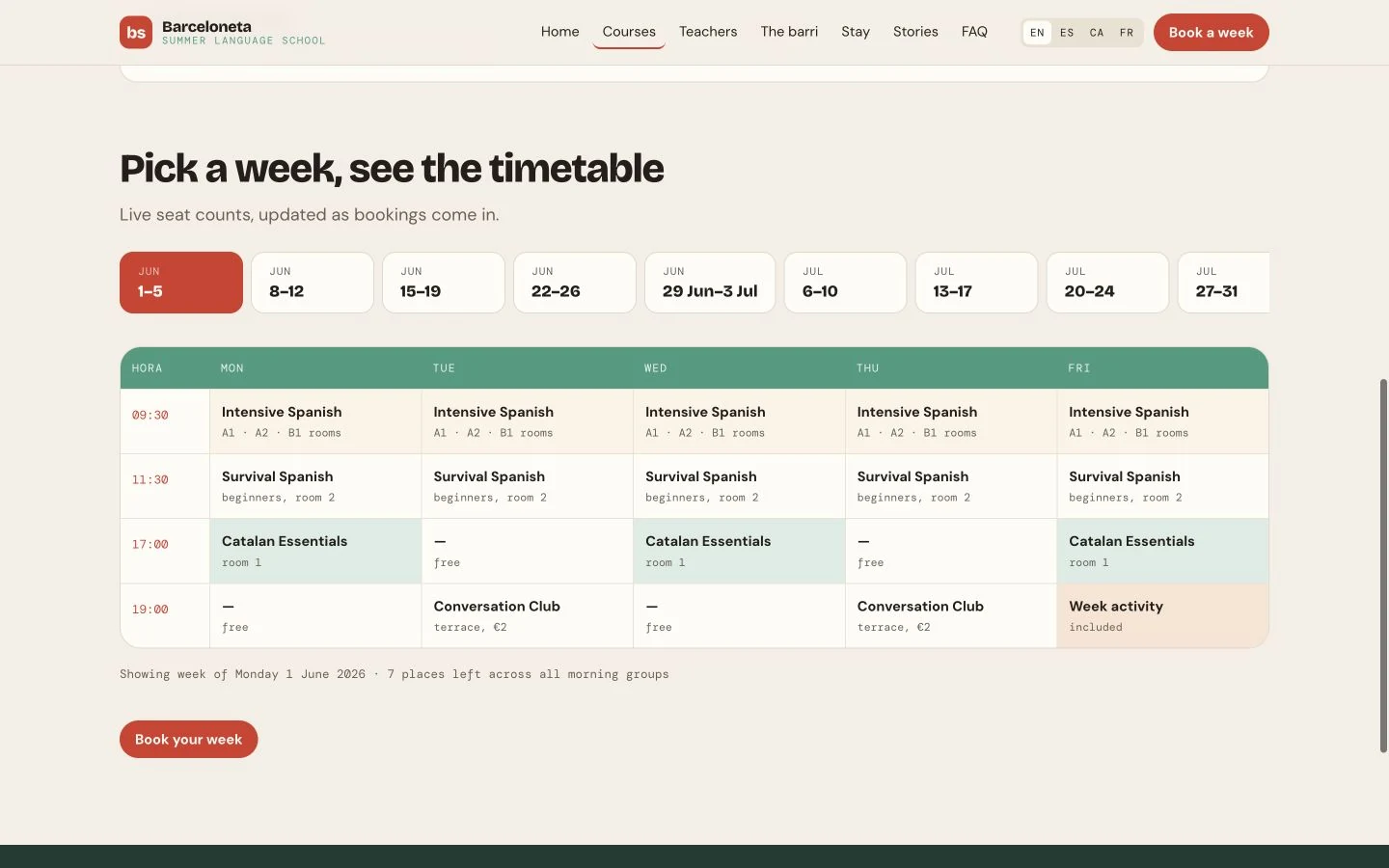
I built a timetable with a week selector and classes arranged by day and time. Visitors can explore how a course might fit into a week. The timetable and availability figures are fictional.
Screenshot in EnglishChoose “Courses”, then scroll to “Pick a week, see the timetable”.
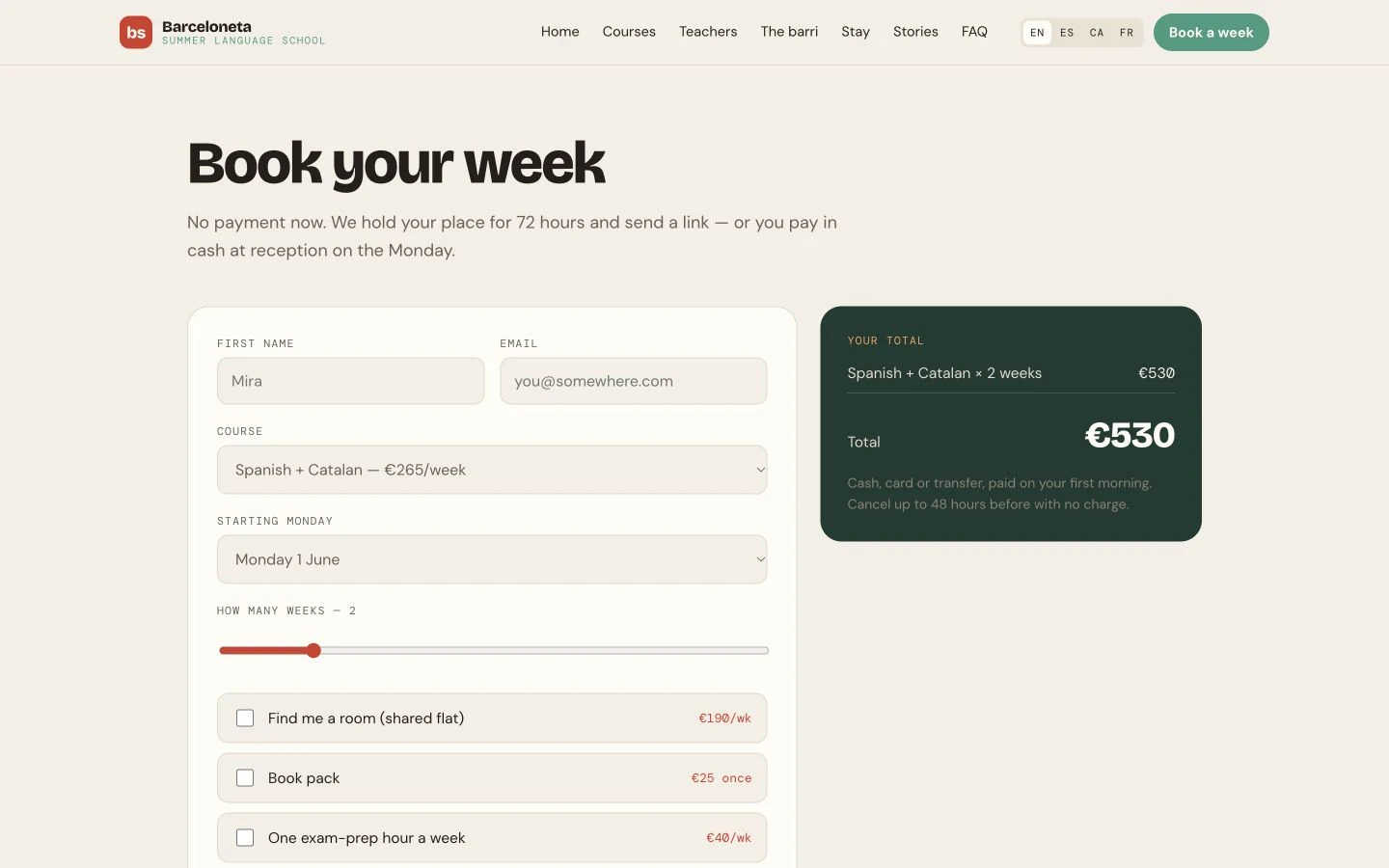
I built a calculator that updates the total as the course, number of weeks and extras change. The breakdown separates weekly costs from the one-off book pack, showing what each choice adds. All prices are fictional.
Screenshot in EnglishChoose “Book a week” in the demo.
El Gradiente and TEG-Blue are also part of my work. Open either project to see the websites, my contribution and the fuller project descriptions.
1 / 2
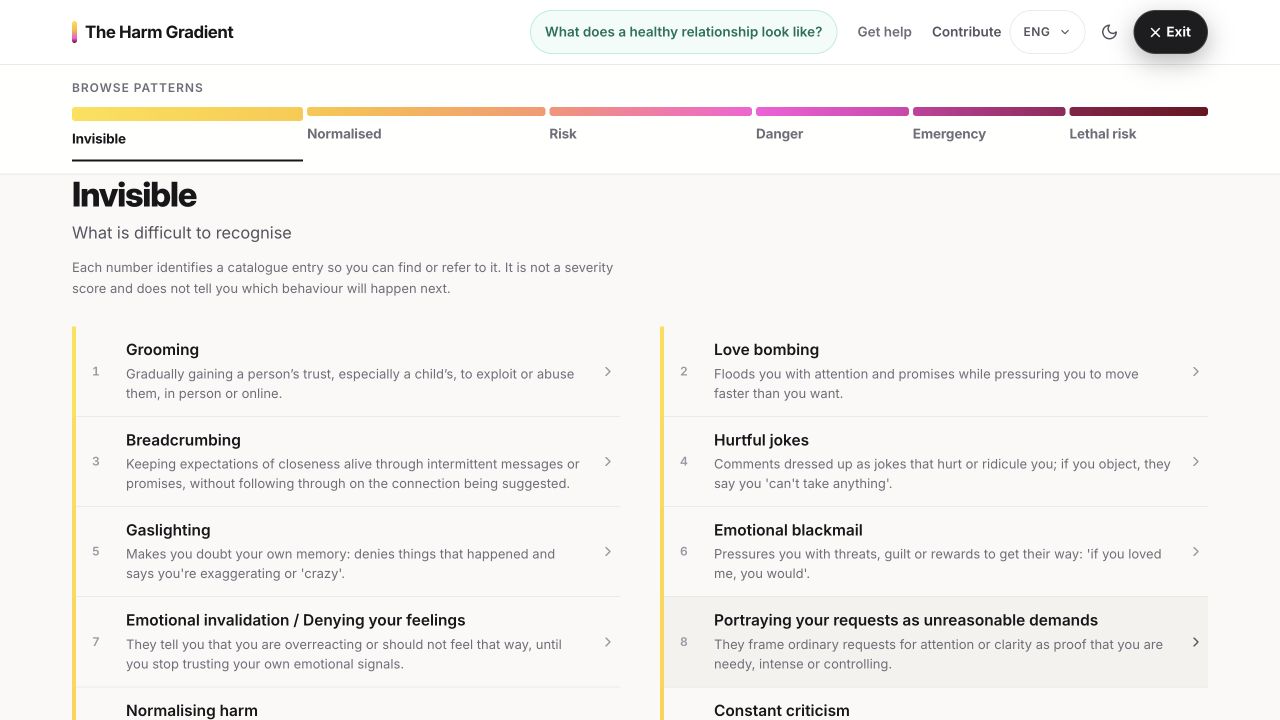
I brought the colour navigation, pattern names and short descriptions together in the catalogue. Readers can start with a description they recognise and open its page for explanations and examples.
Screenshot in English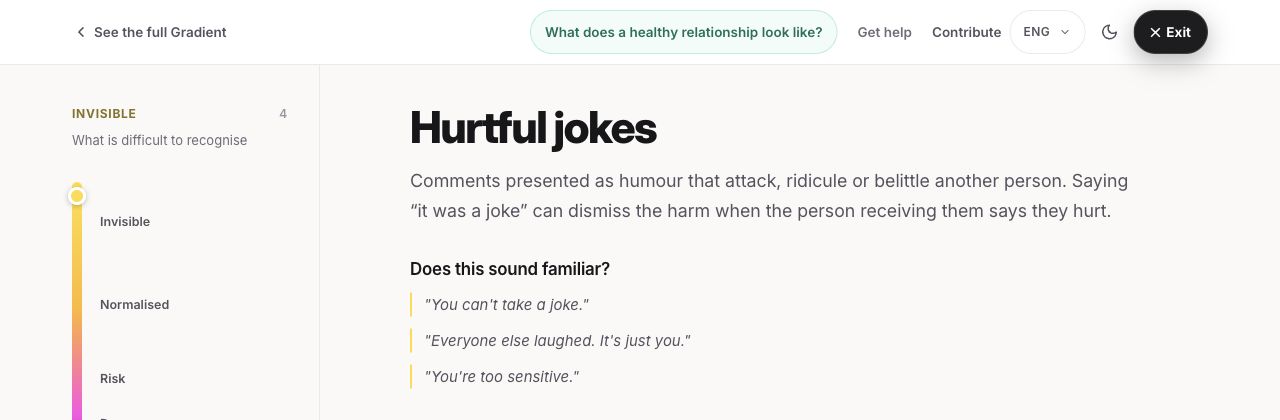
I placed the description and everyday examples on the same page so readers can move between them. The gradient and links to the rest of the guide stay alongside the explanation, making it possible to explore another pattern without returning to the catalogue.
Screenshot in EnglishA project with Martha Alicia Tronco Rosas
Understanding patterns of violence
64 patterns of harm
A guide in English and Spanish
I am developing El Gradiente with Dr Martha Alicia Tronco Rosas, bringing together her experience with Violentómetro 1 and 2.0 and my work on TEG-Blue and digital tools.
Our aim is to provide institutions, governments and companies with digital tools that help people understand patterns of violence and support work to prevent it.
About the project and collaborationI work on the content, visual design and development of the guide. I organise each pattern around a description, examples and further information, and build the pages for phones and computers.
I start with patterns a reader may recognise, even if they do not know what to call them. That guides what appears first, how someone finds a pattern and what they can read next. I connect the writing with the colour gradient and navigation so readers can move between an example, its explanation and the wider guide.
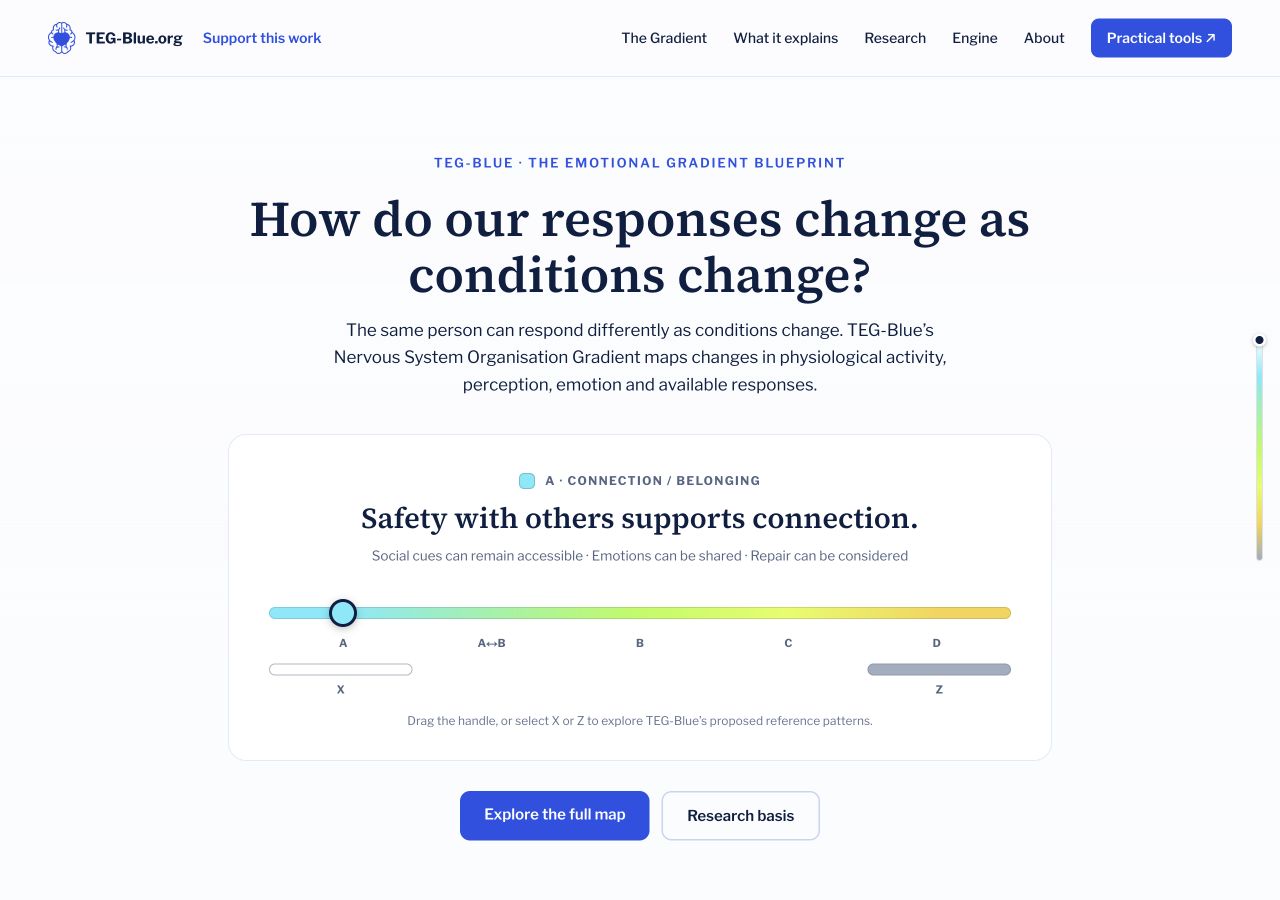
The framework website brings the interactive gradient and links to its research basis into the opening page.
Screenshot in English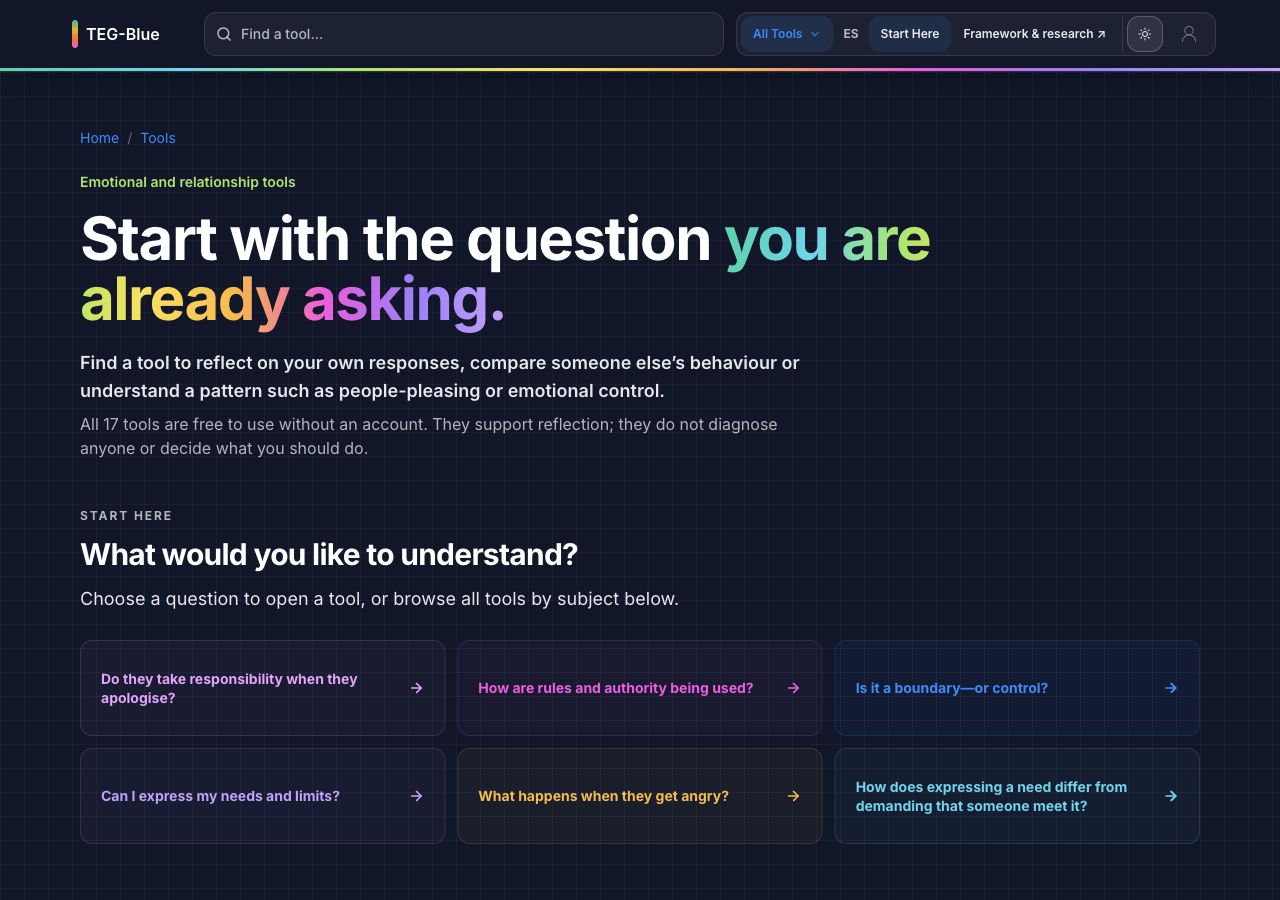
The tools library starts with questions visitors may already be asking. Each question links to a tool.
Screenshot in EnglishThe Emotional Gradient Blueprint
Emotions, behaviour and relationships
A framework for emotional patterns
Interactive tools for reflection
I created the TEG-Blue framework to examine how emotions, nervous-system responses and relationships shape behaviour.
Read the frameworkThe tools offer guided reflections, behaviour comparisons and pattern maps. Each begins with a question about an experience, such as people pleasing, apology, care or control.
Explore the toolsI bring together findings from existing research, develop the framework’s ideas and organise how they relate. I write the explanations, create visual models and build the websites and tools.
I developed two connected websites for different ways of exploring the work: teg-blue.org for the framework and its sources, and teg-blue.com for questions about everyday experiences. I choose each tool’s format around its question: a guided reflection, a comparison of behaviours or a visual map.
Read about my contribution and the evidence boundaries →Instagram and Substack are where I share my own voice. I write about life, emotions and how we relate to one another, sometimes with an image and sometimes with the space of a longer essay.
I bring the words and images together here. I hope you’ll find something that makes you pause, or recognise a little of your own experience.
Find me on InstagramSubstack
Some questions need more room. I write personal essays about love, harm and boundaries, drawing on my own life and the questions I keep coming back to.
A piece of my writing
On Cathy, Adam, Cal, inherited wounds, and the uncomfortable space between understanding someone and absolving them.
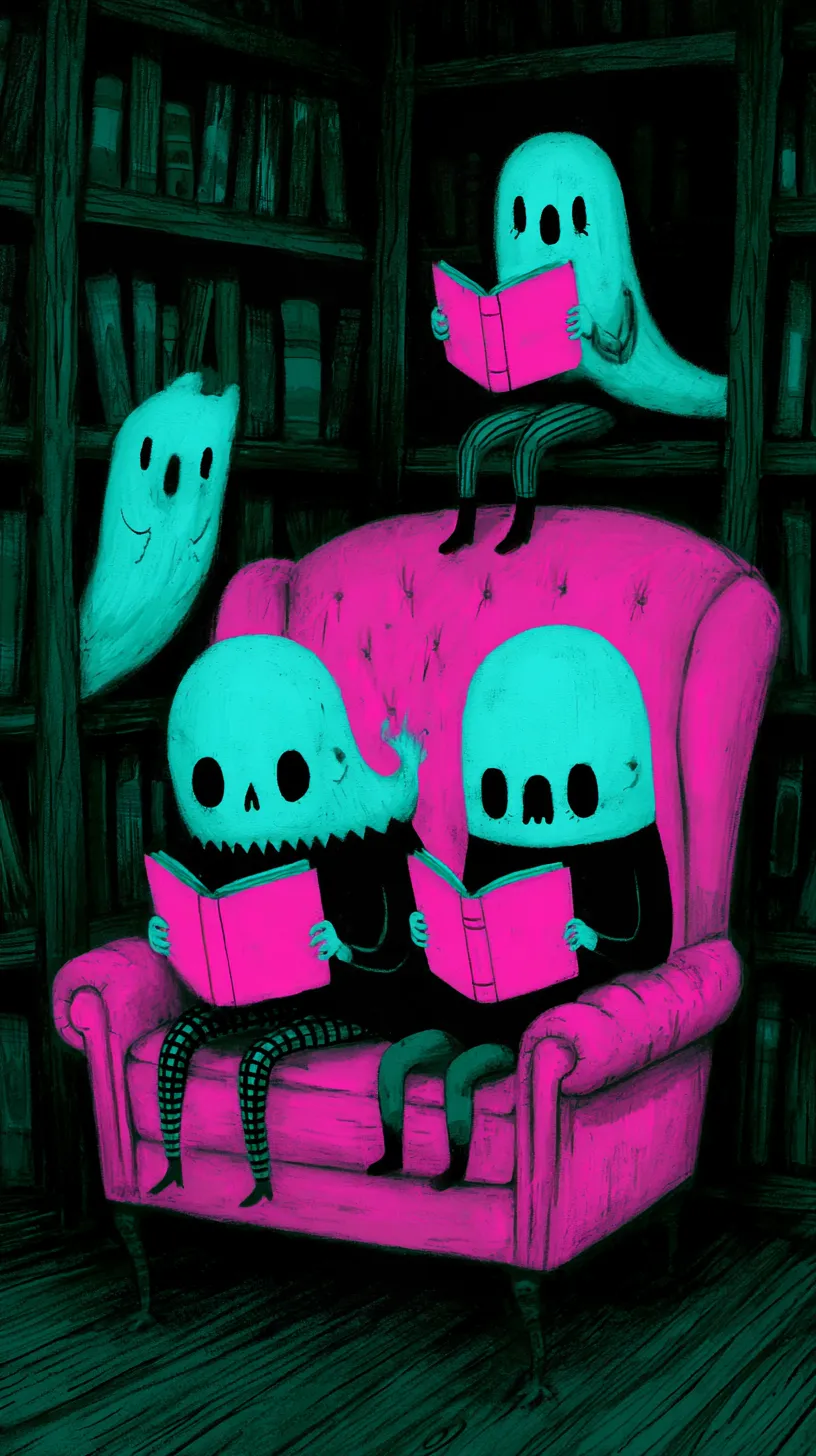
I also explore colour and stories through illustration: imaginary worlds, curious characters and everyday scenes. Here are two from my collections.
Explore my illustrations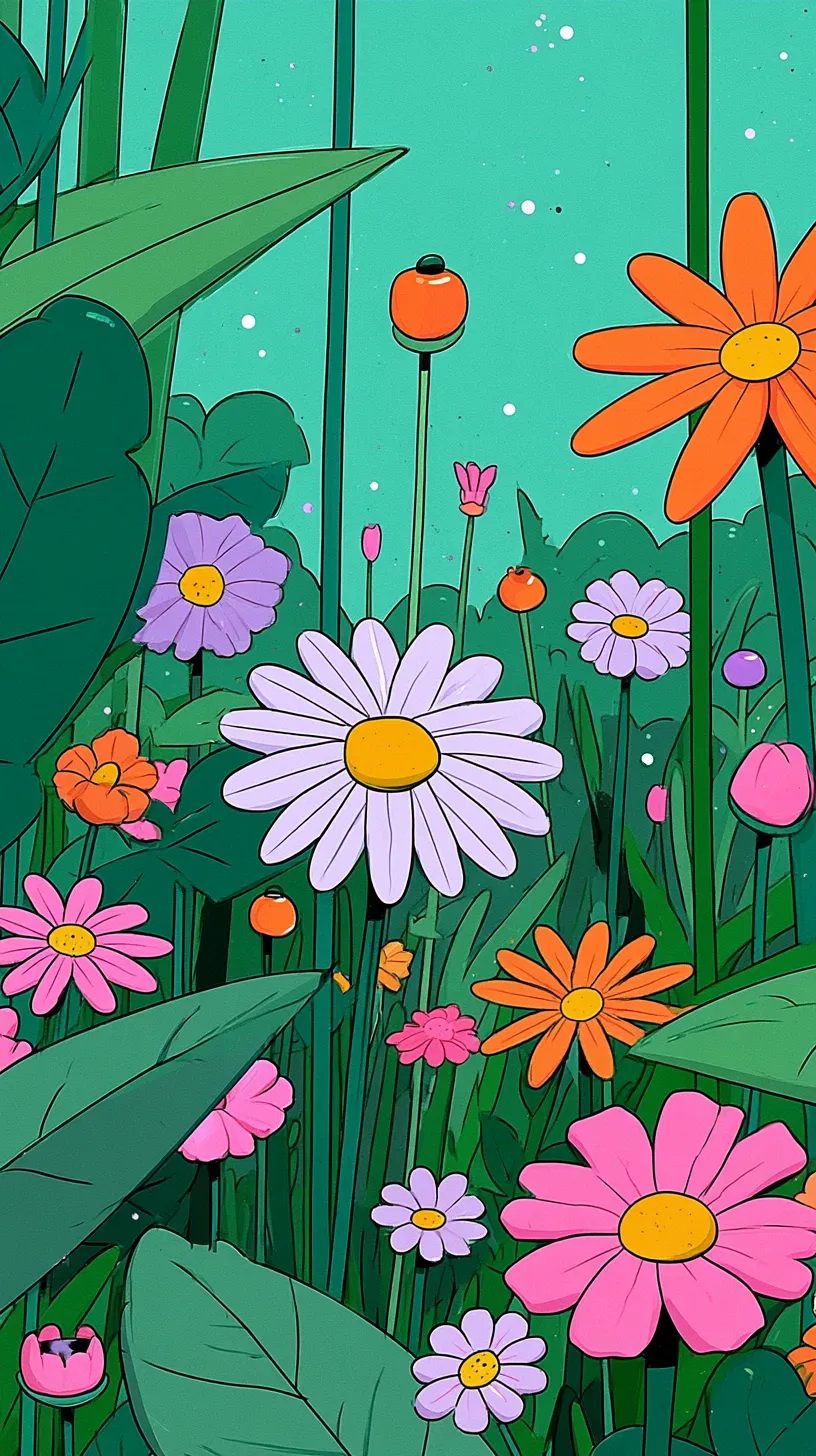
If something here connects with an idea of your own, I’d like to hear about it. We can talk about what you have in mind and where I could help.
Explore working together